

Topics of Similar Interest aka WordPress Related Posts Plugin
18 Jan 2008 | The Blogsphere, Wordpress | 4 comments
Overview
Ever have an urge to list down relevant articles which might share similar interests to any particular post? Find out a little bit more about this somewhat useful Plugin for WordPress powered sites.
Download
Download this WordPress Plugin at the following linkie:
http://wordpress.org/extend/plugins/wordpress-23-related-posts-plugin/
Implementation
Upload the Plugin’s files into the plugins folder, activate the plugin then edit the WordPress Theme’s “Single Post” theme file (usually named “single.php”) and add in this line of code into a suitable place:
<?php wp23_related_posts(); ?>
Options
There are a few options to tweak as depicted in the below screenie:
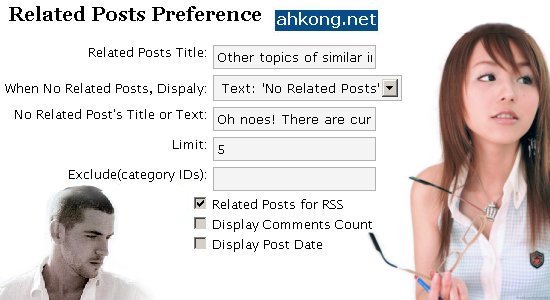
There seems to be a typo – “Dispaly” ought to be “Display” instead.
Anyway, for the option, there are three sub-options to choose from:
– text: ‘No Related Posts’ [Displays a ‘No Related Posts’ message]
– Random Posts [Displays some random posts]
– Most Commented Posts [Displays most commented posts]
Function
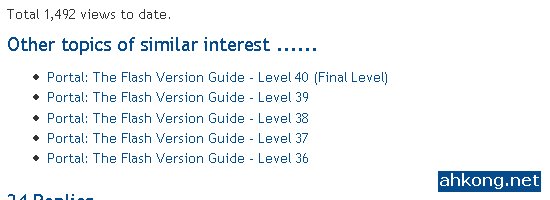
Attempts to search for related posts based on the tags used. Posts must be tagged in order for this WordPress Plugin to work at all. No tags means no related posts.
Usefulness
Probably useful for exposure of old posts via newly published articles. Linkie happy visitors and or readers would probably go clickie when they saw some catchy titles.
So its always nice to come up with some creative catchy titles to snare some of the linkie happy mofos yo? Higher Page Views in Alexa Traffic Ranking FTW RAWR!
Deimos’s Thoughts
This post is dedicated to Louise the pen pusher! May she find joy and inner happiness with this WordPress plugin! WOHOO!
I just noticed that this particular WordPress Plugin is written by someone who knows mandarin, probably a Chinese. Check out the homepage of this WordPress Plugin’s author:
http://fairyfish.net/2007/09/12/wordpress-23-related-posts-plugin/
In fact, many useful WordPress Plugins are written by Chinese. We be smart mofos yar?
Deimos Asks
Anyone using this WordPress Plugin? Or should I ask, anyone not using this WordPress Plugin? Quite a number of fellow bloggers uses this WordPress Plugin actually.


3:07 pm
Louise
said the following:
Yay, thanks man! Was waiting for this post 😛
I’ll go check it out and implement it on my site
3:09 pm
Deimos Tel`Arin
said the following:
@Louise:
Cheers, mate. 😉
I just realized that I could have added more details in. 😐
Gonna do that right away. 💡
8:13 pm
admin_papa
said the following:
Hello Everybody
Just wanted to share my new experience.
If your system fails to start due to an error corresponding to lost HAL.DLL, invalid Boot.ini or any other important system boot files you can fix this by using the XP installation CD. Simply boot from your XP Setup CD and enter the Recovery Console. Then run “attrib -H -R -S” on the C:\Boot.ini file and delete it. Launch “Bootcfg /Rebuild” and then Fixboot
Regards,
Carl
3:38 am
Kenneth
said the following:
Thanks for the blog post…I use a company online for NICE cheap traffic:http://www.eAdvertisingCompany.com